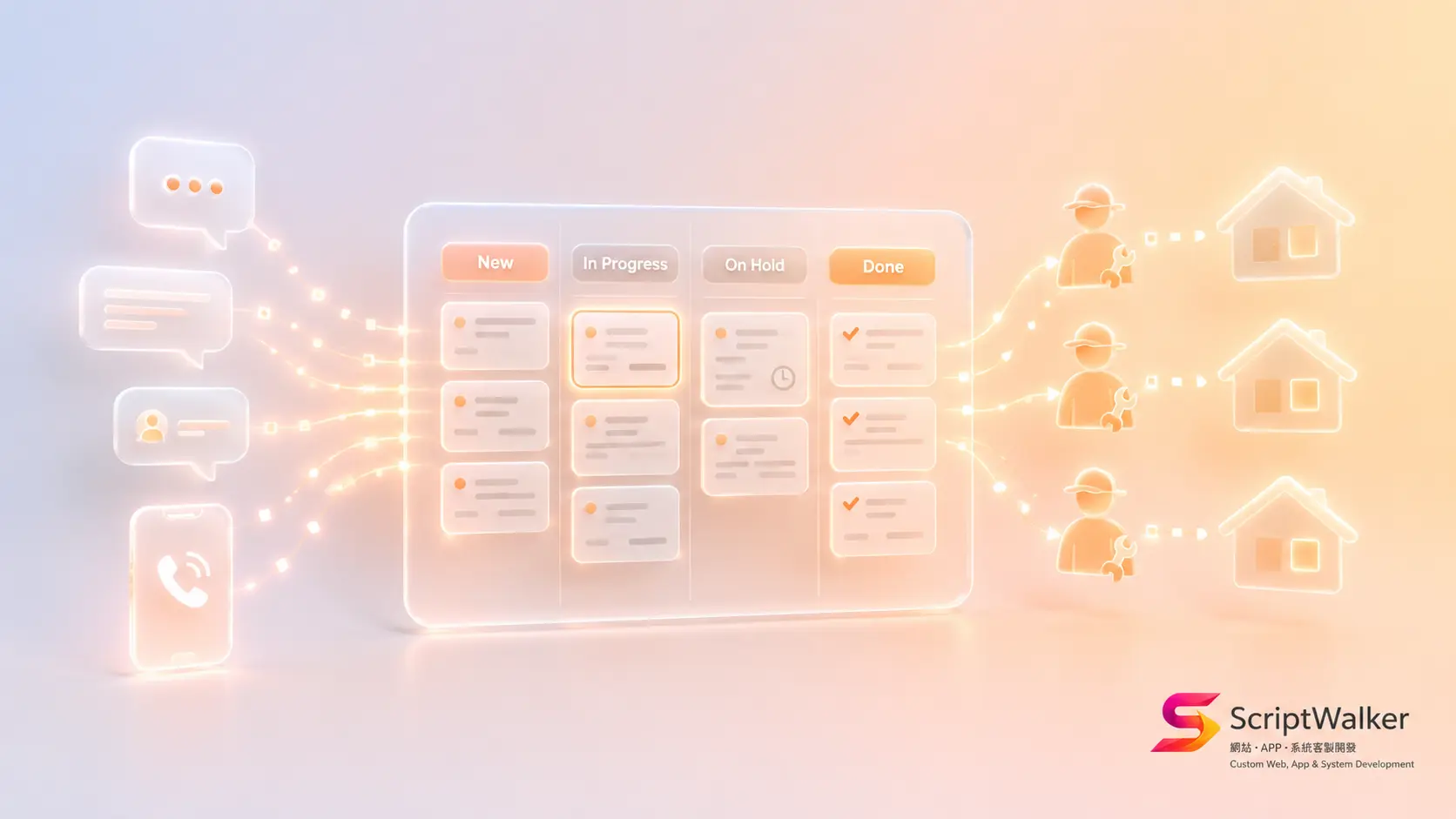
A home-appliance repair business with six stores had every service request buried across three LINE groups, one support phone and a handwritten notebook. Last month an air-conditioner warranty job was missed because "the message got scrolled away," the customer complained to consumer authorities, and cleanup cost two days and a free replacement unit. The owner asked us: "Is there a system where no request ever disappears and every technician knows which homes to visit today?" That is exactly what a customer-service ticketing / after-sales repair system solves.
When It Fits vs When It Doesn't
Good fit:
- More than 20 requests/complaints a day, scattered across LINE, phone and forms
- Dispatch needs: assign cases to different technicians/agents and track progress
- SLA or warranty management: different cases have different response deadlines
- Reconciliation and KPIs: volume per person per month, average time to close
Poor fit:
- Fewer than 5 requests a day — a shared inbox is enough; do not run a system for it
- Cases need no assignment or history — a LINE OA auto-reply suffices
- You have not defined what "closed" means — fix the process before the system
Alternatives Matrix
| Option | Pros | Cons | Cost tier |
|---|---|---|---|
| SaaS (Zendesk) | Full-featured, fast launch | Per-seat monthly, weak zh-Hant localization, data off-site | ~US$55/seat/mo up |
| SaaS (Freshdesk) | Free tier, good value | Advanced features gated, limited customization | Free–US$49/seat/mo |
| Self-built (Laravel) | Bound to your LINE/flow, own your data, no per-seat fee | Higher upfront build, self-maintained | From NT$120,000 (one-off) |
Full Process Breakdown (Stage + Time + Deliverable + Tools)
- Stage 1 · Requirements & process mapping (3-5 days): map the request lifecycle (intake→dispatch→handle→close→follow-up); deliver a flow diagram (Figma/Whimsical) and field list.
- Stage 2 · System design (1 week): data tables, permissions, SLA rules, LINE integration design; deliver a prototype (Figma).
- Stage 3 · Development (3-4 weeks): build the ticket core in Laravel, a responsive or Flutter console for technicians, integrate the LINE Messaging API for intake and notifications; deliver a testable build.
- Stage 4 · Test & launch (1 week): run real cases in parallel for a week, train staff; deliver the live system plus a manual.
Real Cost Breakdown
- Build: from NT$120,000 (single-store basic); multi-store / SLA / reports NT$220,000–350,000
- LINE official account: verification and message-volume fees (per LINE rates)
- Hosting: VPS ~NT$800–2,000/mo
- SSL: Let's Encrypt free; domain ~NT$400/yr
- SMS notifications (optional): ~NT$1–2 each
- Maintenance: recommended NT$6,000–15,000/mo for updates, backups, small changes
Reality vs Client Imagination
- Client thinks "a live system means no missed tickets"; reality: misses come from undefined process (who responds by when); the system only amplifies existing discipline.
- Client thinks "technicians will use it"; reality: field staff resist typing; the UI must be "three buttons to close," or they revert to LINE.
- Client thinks "get it perfect at launch"; reality: fields and notification rules always need tuning in the first two weeks — reserve an adjustment window.
Common Traps & How to Avoid Them
- Trap: too many fields, techs skip them → Fix: cap required fields at five.
- Trap: no SLA reminder, cases silently overdue → Fix: auto-escalate to a manager on breach.
- Trap: LINE and system data out of sync → Fix: the system is the single source of truth; LINE is only a notification gateway.
- Trap: no "closed" definition, KPIs uncomputable → Fix: define close and reopen rules explicitly.
- Trap: loose permissions, techs see all cases → Fix: scope visibility by store/role.
Success Metrics + 90-Day Roadmap
- Day 30: every request enters the system (channel-consolidation > 90%), missed tickets at zero.
- Day 60: average first-response and time-to-close have a baseline to watch.
- Day 90: use data to find bottleneck techs/stores, tune SLA and dispatch rules, start on automation (e.g., auto-dispatch).
Decision Checklist
- ☐ More than 20 requests/complaints a day?
- ☐ Cases scattered across 2+ channels?
- ☐ Need to assign cases to different people and track them?
- ☐ Warranty/SLA deadlines to manage?
- ☐ Owner wants per-person/per-store volume and close times?
- ☐ Can you clearly define "closed"?
- ☐ Will field staff adopt a new tool (with training)?
- ☐ Will stores/headcount grow in 3 years (affecting SaaS seat cost)?
FAQ
Why not just use Zendesk or Freshdesk?
Few stores, few users, standard flow — SaaS is the fastest answer; start on the free/low tier. But as headcount grows (per-seat fees rise linearly) and you need deep LINE and dispatch integration, a self-built one-off cost wins. Compare on three-year total cost, not month one.
Must it integrate LINE?
In Taiwan, almost always. Customers report via LINE; integrating the LINE Messaging API pushes requests straight into the system and replies via LINE — the key step to turn scattered group messages into trackable tickets.
What if technicians can't type in the field?
Simplify field use to the extreme: photo upload, dropdown status, one-tap close. Tap over type wherever possible — this decides whether the system actually gets used.
How long to launch?
Single-store basic ~6–8 weeks; multi-store with SLA and reports ~10–12 weeks. The real variable is not development but whether the process can be defined first.
Call to Action
ScriptWalker builds customer-service ticketing / after-sales repair systems from NT$120,000, including LINE integration and a technician console. Want a free process-mapping and quote first? Contact us:
- Email: [email protected]
- Phone: 0916-224-047
- LINE: @ufv9089p