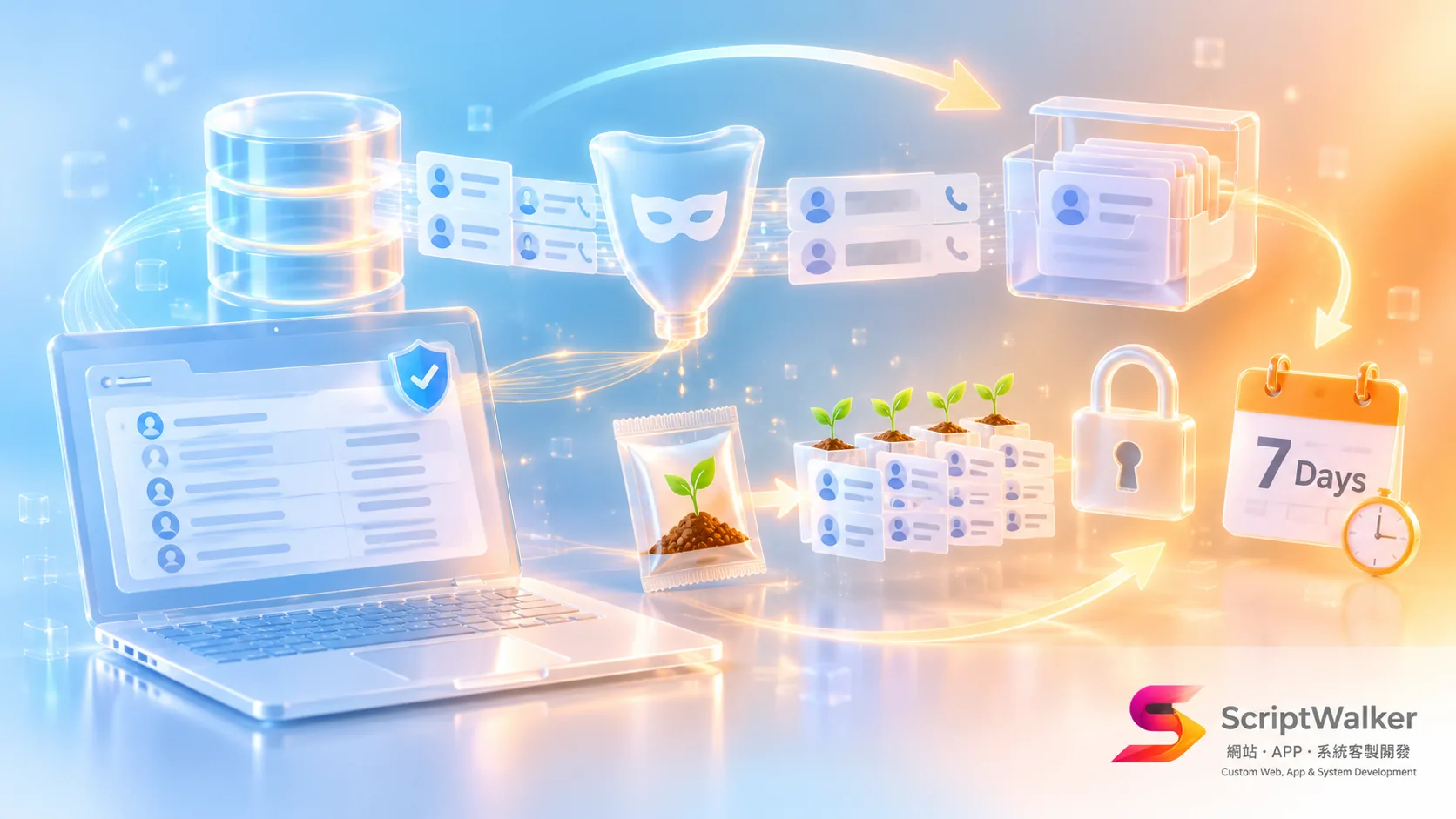
Short answer: Not on our projects. ScriptWalker's development environments use only seeder-generated fake data, with one command producing 5,000 sample orders. When production data is truly needed for debugging, 14 personal-data fields are masked server-side first and the copy is deleted automatically after 7 days.
When one client took over a system from a previous vendor, they found that all four of that vendor's developers had the full production database on their laptops: 20,000 member names, phone numbers and addresses. One developer had already left, and nobody knew whether his copy still existed. Under Taiwan's Personal Data Protection Act, a company that outsources data processing still has a duty to supervise, and when something leaks, the brand is the first to answer for it.
Our approach: development never touches production data by default
In one sentence: at ScriptWalker (a Taiwanese Laravel/Flutter custom development studio), fake data is the default, production data is the exception, and every exception is requested, masked and expired.
The normal flow: git clone → make setup starts Docker → php artisan migrate --seed generates fake data → start coding. When production data is needed: open a request → read-only backup → server-side masking → automated check → encrypted transfer → deletion after 7 days.
Why: trading a little convenience for much less risk
We accept some extra hours so that a lost laptop never means leaked personal data.
- Laptops are the weakest link: servers have firewalls and access logs; laptops go to cafés, get lost and get sent for repair.
- Fake data lets new hires code on day one: no waiting for database credentials; a new developer has the whole system running in about an hour.
- Reproducible tests: seeders use a fixed random seed, so everyone gets the same data and bugs can be reproduced.
- Exceptions leave a trail: every use of production data has a ticket, so clients can see who, when and why.
How: seeders, the masking command and the directory layout
Three pieces do the work: factories define what fake data looks like, seeders decide how much, and a masking command handles exceptions.
- Fake data comes from Laravel seeders and factories, using Faker with the zh_TW locale for Chinese names and addresses.
- Local environments run MySQL, Redis and Mailpit in Docker Compose, so test emails never reach real customers.
- GitHub Actions runs
migrate --seedon an empty database for every PR to keep seeders working. - The masking command
php artisan data:maskcan only run on the production side, with the fields to replace listed in config.
database/
  factories/   OrderFactory.php  MemberFactory.php
  seeders/     DemoSeeder.php    # 300 members, 5,000 orders, 12 months
config/mask.php
  'members' => ['name','phone','email','address','birthday','line_id'],
  'orders'  => ['receiver_name','receiver_phone','receiver_address','invoice_carrier'],
  'tickets' => ['contact_name','contact_phone','message','attachment_url'],
The costs of this approach
To be honest, it adds fixed overhead to every project.
- Every new table needs a factory, about 1–2 extra hours each.
- Fake data distributions never match production exactly, so some performance issues only show up on staging.
- The masking flow has a queue; urgent debugging can be 30–60 minutes slower.
- Clients need to describe early on what their real data looks like.
Where it doesn't fit
This process isn't worth it for every project.
- Brochure websites with no member or order data get little value from seeders.
- Early prototypes whose data model changes weekly would rewrite factories constantly; a few hand-written samples are enough.
Why clients should care
It directly affects your legal exposure, handover costs and test quality.
| Aspect | Copying production data | Fake data plus masked exceptions |
|---|---|---|
| Data-leak risk | Every laptop is a risk | Only short-lived masked copies |
| New-hire ramp-up | 1–3 days waiting for access | About 1 hour |
| Switching vendors | No idea where data went | Full export and deletion records |
| Extra effort | 0 | About 1–2 days per project |
If you want to do this too: advice for other teams
Start with the cheapest rule; you don't need the full setup at once.
- Set one rule first: production data never lives on personal computers. It beats any tool.
- Start seeders with the three most-used tables, such as members, orders and products.
- Fix the random seed so everyone's fake data matches.
- Let the client confirm the masking field list; they know best which fields are sensitive.
Where we've used it
A skincare e-commerce client with 18,000 members changed developers three times in two years without a single copy of production data leaving the server. For a cram-school chain, debugging a grade-import issue required only two masked tables, deleted automatically after 7 days.
FAQ
Won't fake data miss real-world bugs?
Mostly not. Seeders follow the shape of production data, such as order-amount ranges and item counts; only a few data-specific bugs need masked production data.
Is masked data still personal data?
If it can no longer identify a person, the risk drops sharply. We replace names, phones and addresses with fake values and drop field combinations that could re-identify someone.
Can clients audit this process?
Yes. Every production export has a request record, a masking report and a deletion time that clients can review at any time.
Do small projects need all this?
Basic seeders and the no-production-export rule, yes, at 1–2 extra days of work; the masking pipeline can wait until it is actually needed.
Next step
Want to check how your current vendor handles personal data, or work with us this way? Book a free 30-minute consultation. If you are a Laravel or Flutter engineer who cares about data safety, write to us about joining the team.
- Email: [email protected]
- Phone: 0916-224-047
- LINE: @ufv9089p