"It crashed three minutes after tickets went live, the vendor said we need more servers, then quoted a number I can't read"
Tickets go on sale at 10:00. By 10:03 the site is a white screen. Your engineer replies: "The container can't take it, we need to rebuild the image, put a load balancer in front, and set auto-scaling for horizontal scaling." The only part you really understand is the last line: "That's a separate quote."
These five terms are five stations on one assembly line, and missing one stops everything. A vendor who quotes one and skips the rest is usually leaving something out — and the missing part becomes a change order or an outage.
Term 1: Container (Docker)
Definition: a package bundling your application with the exact environment it needs to run.
Analogy: a food truck. A second restaurant branch means new gas lines and re-tuned burners, and the food tastes different. A food truck carries its gas, pans and ingredients, so the dish is identical anywhere it parks. A container is that truck — code, PHP version, packages and config locked inside (see the official Docker documentation).
Real example: a three-site clinic group moved its online booking to the cloud; the old box ran PHP 7.4, the new one 8.2, and the health insurance code validation library broke. Two days of debugging. With containers those two days never happen — at NT$1,600 per hour, that is NT$25,600 burned.
Term 2: Image
Definition: the factory master copy of a container — run it and you get identical containers, as many as you want.
Analogy: the truck's build spec. An image is not the truck; it is the full spec for building it — which burner, which fridge, which drawer. Build one today, twenty tomorrow, all identical.
Real example: a cram school gets 200 page views on a normal day, then 12,000 people in two hours when summer registration opens on 1 July. They build one image in late June, validate it internally, and on launch morning spin up 8 containers from that same image — all identical, so you never get "payment succeeded on machine A but failed on machine B," a reconciliation nightmare afterwards. Image plus automation runs 8–16 hours (NT$13,000–26,000).
Term 3: Horizontal Scaling and Load Balancer
Definition: horizontal scaling means opening more machines; a load balancer is the host who sends each customer to a free one.
Analogy: food court counters and a host. The lunch rush hits. Option one: buy a pricier register (vertical scaling — a hard ceiling). Option two: open three more counters and post a host who points people at the empty ones. Without the host, ten people pile onto counter one while three sit idle — the real reason sites still crash after "adding servers."
Real example: an arena-scale ticketing project sees roughly 3,000 requests per second at launch, so it runs 10 containers behind 1 load balancer. The trap: cart and login state must not live in one machine's memory, or the second click gets routed elsewhere and the tickets vanish. Moving state out runs 16–24 hours (NT$26,000–38,000); the load balancer is about NT$600–900 per month.
Term 4: Auto-scaling
Definition: the system watches the crowd, opens machines when busy and shuts them when quiet.
Analogy: extra elevators at closing time. Two elevators suffice on a slow afternoon; when the sale queue reaches the door the building manager releases all four spares, then drops back to two at 10pm. You don't run six elevators all year for two busy hours. AWS Auto Scaling and Google Cloud Run are that manager.
Real example: a supplements retailer does 800 orders a day normally and 11,000 on Double 11, with 6,000 between 8pm and 9pm. Ten machines year-round at NT$2,500 each per month is NT$300,000 a year; 2 normally scaling to 10 at peak is about NT$66,000 — roughly NT$234,000 saved. The price is configuration plus load testing, about 16–24 hours; and since a new machine takes 30 seconds to 3 minutes to start serving, you pre-warm before the peak.
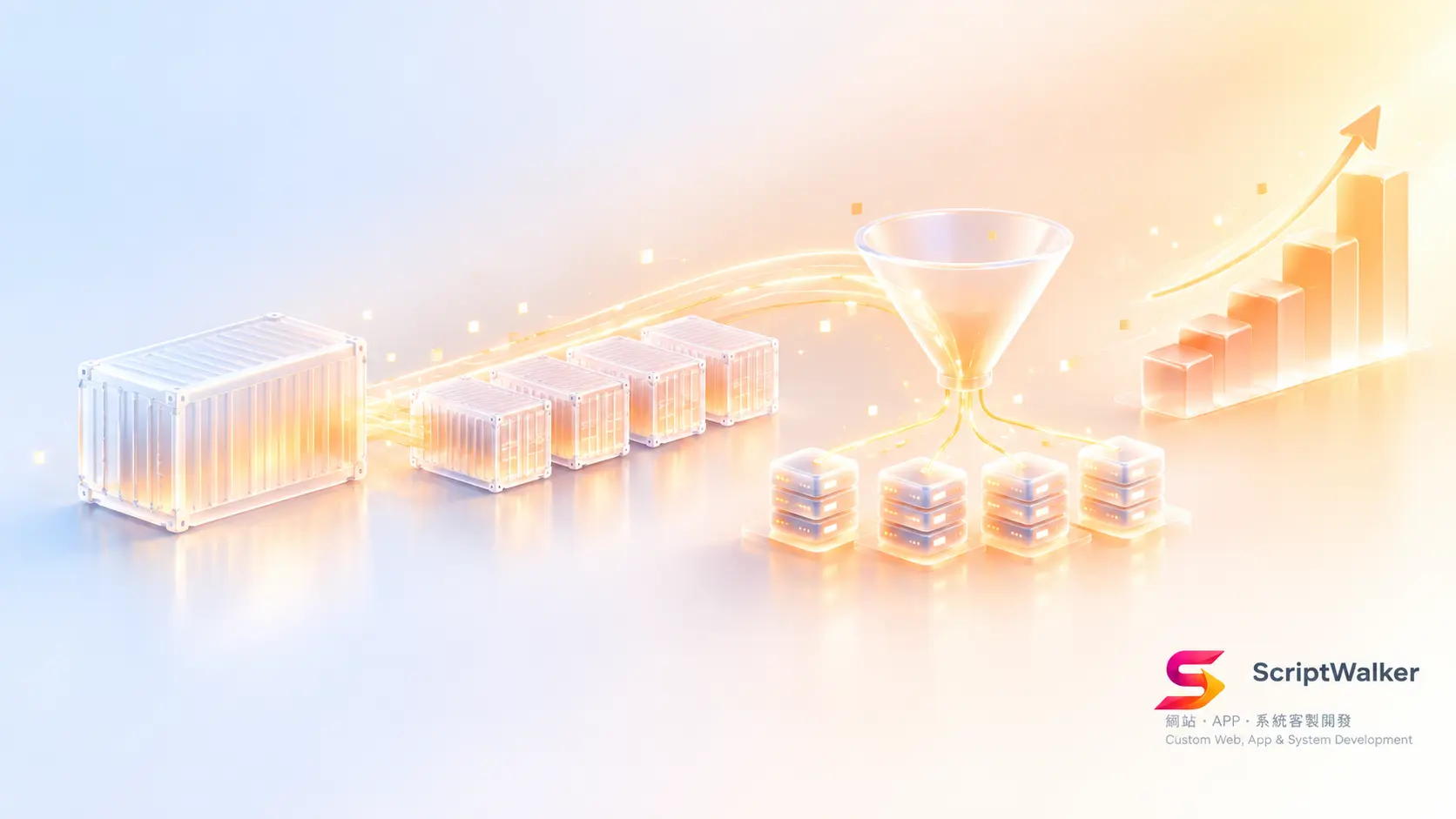
How the five connect (concept diagram, described)
Picture a diagram reading left to right:
- Far left: a blueprint labelled "Image."
- Three arrows point right to identical boxes, "Container 1, 2, 3." One box becoming many is horizontal scaling.
- In front of them, a funnel labelled "Load Balancer" — users enter it first, then get spread evenly.
- Above, an "Auto-scaling" dashboard: "CPU above 60% — add one; below 20% — remove one."
- Behind, a shared database cylinder — where cart and login state belong.
Once you see this, you can audit a quote: pricing containers but not the load balancer and not moving state out means three food trucks and no host.
What it means for budget, timeline and risk
| Item | One-off effort / cost | Monthly | Risk of skipping |
|---|---|---|---|
| Containerisation + image | 8–16 hrs, NT$13,000–26,000 | — | Every migration re-triggers environment bugs: 1–3 days |
| Moving state out | 16–24 hrs, NT$26,000–38,000 | — | More machines, more complaints |
| Load balancer | 4–8 hrs of setup | NT$600–900 | Traffic still lands on one machine |
| Auto-scaling + load test | 16–24 hrs, NT$26,000–38,000 | Usage-based | Peak outage, or NT$200,000+ a year on idle capacity |
On timeline: taking an existing Laravel project to containerised, load balanced, auto-scaled and load tested is a 2–4 week range; start three weeks before the event and you usually finish only the first half.
Five questions to ask your vendor (copy and paste)
- "Is our system containerised? If we need 5 more machines the day before launch, how many hours is that?"
- "Where do login state and the cart live? If I add machines, can a second click land elsewhere?"
- "Does the quote include the load balancer? Monthly cost, and whose bill?"
- "What triggers auto-scaling? From the decision to serving traffic, how many seconds in practice?"
- "Will you load test before launch? To how many requests per second? Do we get the report?"
Common misconception: "adding servers is one button, it takes a minute"
The cloud really can hand you a machine in a minute, but whether it can serve customers depends on whether your system was designed to be copied. If login state sits in one machine's memory, uploads sit on its local disk, and scheduled jobs assume a single instance, the second machine brings users randomly logged out, images appearing and disappearing, notification emails sent twice. Those fixes are application-level work, not something a credit card buys. A related one: "we use Docker, so we have auto-scaling." You don't — deciding when to run more is a separate mechanism (see the Kubernetes documentation).
Frequently asked questions
Q1: Our traffic is small. Do we still need containers?
Low traffic isn't the reason — migration and handover are. If you might change hosting providers or maintenance vendors, containerisation pays for itself the first time you move; a brochure site that won't change for three years can skip it.
Q2: Will auto-scaling blow up my cloud bill?
It will if you don't set a ceiling. Always configure minimum and maximum instance counts plus billing alerts, with the maximum at roughly 1.5x projected peak.
Q3: Does the database auto-scale too?
No, and this is the most overlooked bottleneck. Containers can grow from 2 to 20, but they share one database behind them — that is the real ceiling. Review connection limits and slow queries at the same time.
Q4: Once it's set up, do we still pay monthly?
Initial setup is one-off engineering, but monitoring alerts, quarterly recalibration of scaling parameters and load testing before major campaigns belong in a retainer — typically NT$8,000–15,000 per month for a mid-sized e-commerce operation.
Next step
If you already have a date on the calendar — an on-sale, an enrolment window, Double 11, Mother's Day reservations — the first move isn't asking what it costs. It's a current-state health check: can your system be copied, which layer is the real bottleneck, how far from target traffic. ScriptWalker offers a free 30-minute technical consultation: we draw the diagram above onto your own system and hand you an itemised list you can take out for competitive quotes.
- Email: [email protected]
- Phone: 0916-224-047
- LINE: @ufv9089p